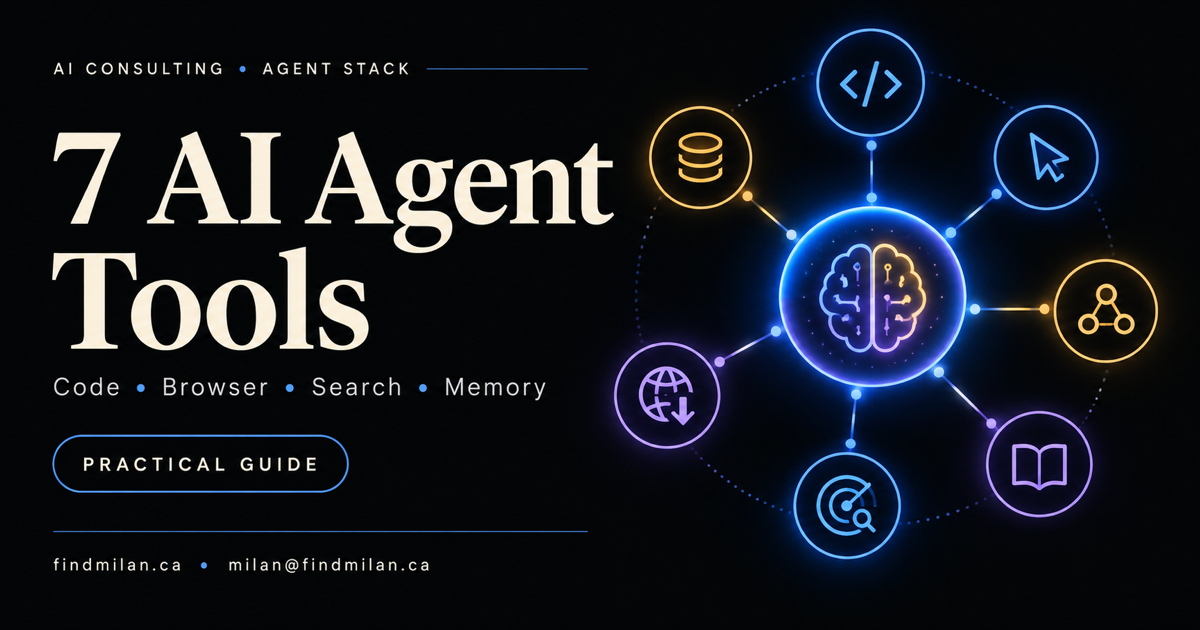
An AI agent becomes useful when it can safely work with the systems where real work happens. Seven tools illustrate the main capabilities in a practical agent stack: GitHub MCP for software delivery, Browser Use for browser interaction, Composio for authenticated app actions, Context7 for current developer documentation, Exa for web discovery, Firecrawl for web extraction, and Mem0 for long-term memory.
The goal is not to install all seven. The better approach is to identify one workflow, connect only the capabilities it requires, and place permissions, validation, and human approval around every consequential action.
Source note: This guide is based on the official documentation for each product and the technical video supplied for this article. Product capabilities, integrations, limits, and pricing can change. Verify the current documentation and test each tool in a restricted environment before production use.
The seven AI agent tools at a glance
| Tool | Primary role | Best fit | Main risk to control |
|---|---|---|---|
| GitHub MCP | Repository and software workflow access | Code, issues, pull requests, Actions, and security context | Excessive repository or write permissions |
| Browser Use | Website and browser interaction | Navigating interfaces, completing multi-step browser tasks, and testing | Acting on stale or misunderstood page state |
| Composio | Authenticated actions across apps | Connecting agents to SaaS tools without building every integration | Broad account access and unsafe write actions |
| Context7 | Current library documentation | Giving coding agents version-specific APIs and examples | Assuming documentation context proves code correctness |
| Exa | Web search and research discovery | Finding relevant sources and gathering research material | Weak sources, incomplete coverage, or unsupported synthesis |
| Firecrawl | Web scraping, crawling, and extraction | Converting pages or sites into clean content and structured data | Site rules, personal data, and brittle extraction assumptions |
| Mem0 | Persistent agent memory | Retaining useful preferences and context across sessions | Private, stale, incorrect, or undeletable memories |
These products are not interchangeable. An agent that needs to click through a dashboard has a different requirement from one that needs to discover sources, extract a documentation site, remember a preference, or open a pull request.
1. GitHub MCP: repository tools for coding agents
The official GitHub MCP Server connects compatible AI systems to GitHub through the Model Context Protocol. Its toolsets can expose repositories, code, issues, pull requests, Actions, notifications, projects, discussions, and security features.
This can reduce the custom integration work needed for coding agents. Instead of copying issue text into a chat and manually applying the result, an approved agent can inspect a repository, understand a task, create a bounded change, review checks, and prepare a pull request.
The important word is approved. Repository access can expose private code and secrets, while write access can change issues, branches, pull requests, or workflows. GitHub documents remote and local server options, individual tools, selectable toolsets, and a read-only mode. Use those controls to provide the smallest surface the workflow needs.
A safe starting pattern is read-only access to one repository. Add a specific write tool only after the read path is reliable, and keep merge, release, permission, and secret changes behind explicit human approval.
2. Browser Use: interaction with real web interfaces
Browser Use provides hosted agents and managed cloud browsers, while its open-source library supports local browser automation. Its cloud documentation also describes connecting existing Playwright or Puppeteer code to managed browsers through CDP.
This is useful when an important system does not expose a suitable API or when the workflow needs the same interface a person uses. Examples include collecting information from a dashboard, testing a checkout, navigating an internal portal, or preparing a form for review.
Browser automation is powerful but fragile. The same button can move, a session can expire, a modal can change the page state, or the visible success message can fail to reflect the downstream result. A browser agent should therefore:
- verify the hostname, account, and workspace before acting;
- distinguish reading, drafting, saving, submitting, publishing, and paying;
- capture evidence before and after important actions;
- stop when the page or requested target does not match expectations;
- verify the result in the destination system rather than trusting a toast message.
Use browser execution for interfaces that truly require it. Prefer stable, scoped APIs for high-volume or high-consequence operations when they are available.
3. Composio: managed authentication and app actions
Composio combines tools, managed authentication, and an execution layer for integrations across more than 1,500 applications. Its documentation covers sessions, authentication, triggers, tool search, MCP, CLI integrations, and plugins for agent environments.
The attraction is breadth. A team can connect an agent to business applications without independently implementing OAuth, token refresh, and action schemas for every service. That can accelerate prototypes involving email, calendars, support tools, CRMs, project management, or cloud services.
Breadth also increases the permission surface. Connecting an account is not the same as authorizing every possible action in that account. Scope each connection to the correct user or organization, make write tools explicit, isolate test and production environments, and log which identity invoked which tool with which arguments.
For sensitive workflows, put a policy layer between the model and the action. The agent may propose an email, refund, record update, or calendar change, but deterministic application rules and a human can decide whether it is allowed.
4. Context7: current documentation for coding agents
Context7 gives coding assistants current, version-specific library documentation and code examples. This addresses a common failure mode: a model remembers an older API, invents a method, or mixes examples from incompatible versions.
Fresh documentation can make a coding agent much more effective. It can retrieve the library material that matches the question and place that context near the code-generation step instead of relying only on model training data.
Documentation context still does not make generated code correct. Examples may omit production concerns, a project may use different versions, and the retrieved section may not cover local architecture or security requirements. After using Context7, the agent should still inspect the installed dependency version, follow repository conventions, run type checks and tests, and review the resulting behaviour.
Context7 is most valuable when a workflow frequently touches fast-moving frameworks or SDKs. It is less useful when the authoritative answer already exists inside the repository or a locked internal specification.
5. Exa: search and research for agents
Exa provides search, content retrieval, highlights, and agent-oriented research capabilities. Its APIs can help an agent discover relevant pages, retrieve content, and return structured research outputs.
This belongs near the start of a research workflow. The agent can use search to identify candidate sources, then open the most authoritative results, compare claims, and retain direct citations. That is different from asking a general model to answer from memory.
Search results are evidence candidates, not automatically verified facts. Production research needs source ranking and explicit rules. Prefer official documentation, primary announcements, public records, or original research. Track publication dates, distinguish the event date from the article date, and label inference separately from a verified statement.
Exa can be useful for market monitoring, technical research, prospect discovery, and source collection. The final output still needs factual checks and should never invent certainty when sources disagree.
6. Firecrawl: clean web data for agents
Firecrawl turns web pages into LLM-ready markdown or structured data. Its platform includes scraping, site mapping, crawling, search, extraction, browser actions, a browser sandbox, and webhooks.
Firecrawl is a good fit when the agent already knows where the information lives and needs usable content from one page or a collection of pages. A documentation assistant might map a site, crawl selected sections, and store normalized text for retrieval. A monitoring workflow might extract known fields from an approved set of official pages.
This differs from Exa’s discovery role and Browser Use’s interaction role. Firecrawl focuses on obtaining clean, structured web content, although the products have overlapping features.
Before crawling, check the site’s terms, robots guidance, rate limits, copyright constraints, and the sensitivity of the collected data. Define allowed domains and paths, minimize retention, and do not assume that a successful extraction captured every dynamically loaded or access-controlled element.
7. Mem0: persistent memory across sessions
Mem0 provides a memory layer intended to preserve relevant information across conversations, tools, and agent runs. Its documentation describes a managed platform, self-hosted options, and integrations with agent frameworks.
Long-term memory can improve continuity. A support assistant can remember a customer’s stable preference, a project agent can retain an approved architectural decision, and a personal assistant can avoid asking for the same non-sensitive information repeatedly.
Memory should not become an uncontrolled archive of everything the agent has seen. A robust design separates:
- short-lived task context from durable memory;
- user preferences from authoritative business records;
- observations from approved facts;
- shared organization knowledge from private user data.
Users need a way to inspect, correct, and delete stored memories. The system should record provenance and expiration, avoid storing secrets, and resolve current truth from the authoritative application when possible. If a workflow does not benefit from cross-session recall, do not add persistent memory simply because it is available.
How these tools fit together
A practical agent stack can be understood as seven separate capabilities:
- GitHub MCP gives an engineering agent controlled access to software work.
- Browser Use lets an agent interact with a visual website or application.
- Composio provides authenticated tools for connected business apps.
- Context7 supplies current technical reference material.
- Exa finds relevant sources on the web.
- Firecrawl converts known web sources into usable content or data.
- Mem0 retains selected context across separate runs.
One research-and-development workflow might use Exa to discover official sources, Firecrawl to extract approved pages, Context7 to retrieve current SDK guidance, GitHub MCP to prepare a code change, and a browser tool to verify the deployed interface. Composio could update a project record, while Mem0 retains one approved preference for the next run.
That full chain is possible, but it is rarely the correct first release. Every added tool creates more permissions, failure modes, latency, cost, and evidence to review.
Build the smallest stack that completes the job
Start with one measurable outcome. For example: “Prepare a tested pull request from an approved issue,” “collect and cite changes from five official documentation sites,” or “draft a support response using verified account information.”
Then design the stack in this order:
1. Define the acceptance test
State what counts as complete in the downstream system. A generated answer, successful tool call, or HTTP response may be only an intermediate result.
2. Add one capability at a time
If repository access is enough, start with GitHub MCP in read-only mode. If the problem is web extraction, test Firecrawl without adding browser control or long-term memory.
3. Separate reading from changing
Use different credentials, scopes, or approval paths for observation and mutation. An agent that can read a customer record should not automatically be allowed to edit or delete it.
4. Validate every boundary
Treat web pages, documents, tool outputs, memory, and repository text as untrusted input. Validate arguments before a tool call and check the actual downstream state afterward.
5. Add operational limits
Set tool allowlists, domain restrictions, timeouts, budgets, rate limits, cancellation, audit logs, and recovery paths. Define what the system must do when a page changes, a tool is unavailable, or confidence is low.
6. Keep humans at consequential gates
Require confirmation for sending, publishing, merging, paying, deleting, changing permissions, accepting legal terms, or making customer commitments. Automation can prepare and verify; authority should stay explicit.
How I can help build your AI agent workflow
I provide AI consulting and custom development for organizations that want useful agent systems with clear permissions, measurable acceptance criteria, and production verification.
I can design and implement the complete workflow through workflow automation, SaaS product engineering, website development, and mobile app development. My Hermes and OpenClaw agent setup shows how tools, models, infrastructure, remote access, and operating boundaries fit together in a deployed agent environment.
Book a free strategy call to identify the smallest agent stack that can improve one real workflow without creating unnecessary access or complexity.
Official sources
Frequently asked questions
What tools does an AI agent need?
The right tools depend on the job. A practical agent may need repository access, browser interaction, authenticated app actions, current technical documentation, web search, structured web extraction, or long-term memory. Start with the smallest set needed for one measurable workflow instead of connecting every available tool.
What is the difference between Browser Use, Firecrawl, and Exa?
Browser Use is primarily for interacting with websites and browser sessions. Firecrawl turns pages and sites into clean markdown or structured data and can crawl or map sites. Exa is designed for finding relevant web sources and returning search results, content, or research outputs. They overlap, but interaction, extraction, and discovery are different jobs.
What is the GitHub MCP Server?
GitHub's official MCP Server lets compatible AI tools work with repositories, code, issues, pull requests, Actions, and security features through a standardized interface. Teams should enable only the required toolsets, use read-only access where possible, and keep human approval for merges and other consequential changes.
Does an AI agent need long-term memory?
Not always. Long-term memory is valuable when an agent must retain stable user preferences, prior decisions, or useful context across sessions. It also creates privacy, retention, deletion, and stale-memory risks, so memory should be scoped, inspectable, correctable, and unnecessary for workflows that can rely on authoritative application data.
How do you secure an AI agent tool stack?
Use least-privilege credentials, separate read and write access, isolate secrets, validate tool inputs and outputs, require confirmation for consequential actions, restrict networks and domains, preserve audit logs, set budgets and timeouts, and verify the final result in the destination system.