Meta’s Muse for Small Business announcement adds connections to common business tools, including Shopify, QuickBooks, Canva, Slack, Facebook Pages, and Instagram professional accounts. Meta says Muse is available in Canada and that it will not publish, send, or spend without approval. For a small business, the useful next step is a narrow, reviewable workflow—not assuming an AI agent can safely run the whole operation.
This is a source-based guide, not a hands-on reliability test. Meta’s announcement is dated September 29 and its page shows an October 8 update. It says the full connector list is available in Muse settings, with more connectors to come; it does not give a separate Canadian schedule for each connector. Check what your account currently offers.
What Meta added for small businesses
Meta describes Muse for Small Business as an expansion of Muse with new skills and connections to services business owners already use. The announcement lists Asana, Box, Canva, Dropbox, Figma, Granola, HighLevel, Intuit QuickBooks, Klaviyo, Lovable, Notion, Shopify, Slack, Stripe, and Zoom. It also describes connections to Instagram professional account analytics, Facebook Pages, and Meta ad accounts.
The practical difference is context. A connected agent can draw on selected business services when helping with tasks such as preparing a campaign, reviewing performance, or summarizing business information. Meta says the current full connector list is visible in Muse settings and that more are planned. Confirm a connector and its requested permissions in your own account before designing a workflow around it.
Canada availability: what the announcement confirms
Meta’s September 29 announcement says the Muse personal agent is available in the United States and Canada. It does not separately specify when every business connector or new skill is enabled for every account. Treat the options in your own Muse settings as the current availability check, and do not assume an integration is ready just because it appears in a general announcement.
Approval controls are useful, but permissions still matter
Meta says that nothing publishes, sends, or spends without the user’s approval. That is a meaningful boundary for an agent connected to business accounts, but approval is only one part of a safe workflow. You still need to know which account is connected, what information it can read, what action is being requested, and whether the output is accurate before you approve it.
Start with one low-risk task and the minimum connections it needs. For example, ask for a draft weekly summary from a limited set of business activity, with instructions to cite the source data and flag missing information. Keep customer replies, purchases, ad changes, and public posts out of the first test. Review each connector’s permissions and terms before including customer, financial, employee, or confidential information.
Meta links to separate pages about Muse safety and security and how Muse was designed. Read those alongside the connector’s permission screen. The approval step described in the announcement is not a guarantee that an agent’s research, draft, or recommendation is correct.
A practical pilot for a Canadian business
The following is a suggested evaluation method, not a result tested for this article:
- Choose one bounded job. For example, prepare a draft campaign outline from information you explicitly provide.
- Connect only what the job needs. Avoid connecting payment, customer, or bookkeeping systems if a draft can be made without them.
- Define acceptable output. Specify the date range, required sources, format, and how unknown or conflicting information should be reported.
- Require review before action. Keep publishing, sending, spending, and account changes behind a person’s approval.
- Check and measure the whole task. Look for missing records, unsupported claims, mistaken dates, and the time needed to verify and correct the result.
If the test is useful, repeat it before expanding permissions. An approval prompt does not make an inaccurate output safe, and a successful demonstration does not establish consistent performance. Keep a human accountable for the final business decision.
Plans and usage: confirm the terms in your account
Meta’s Muse introduction says the product is free for most needs and has subscription plans for people who want to do more. The small-business announcement does not give a Canadian price, token allowance, or plan comparison. Check your account’s current currency, taxes, limits, connector access, and renewal terms before budgeting around a paid plan.
A token balance also does not tell you how much reviewed work the agent will complete. Track the time spent checking, correcting, and approving outputs along with any subscription cost. That gives a more useful basis for deciding whether the workflow helps your team.
Milan’s referral offer for Muse
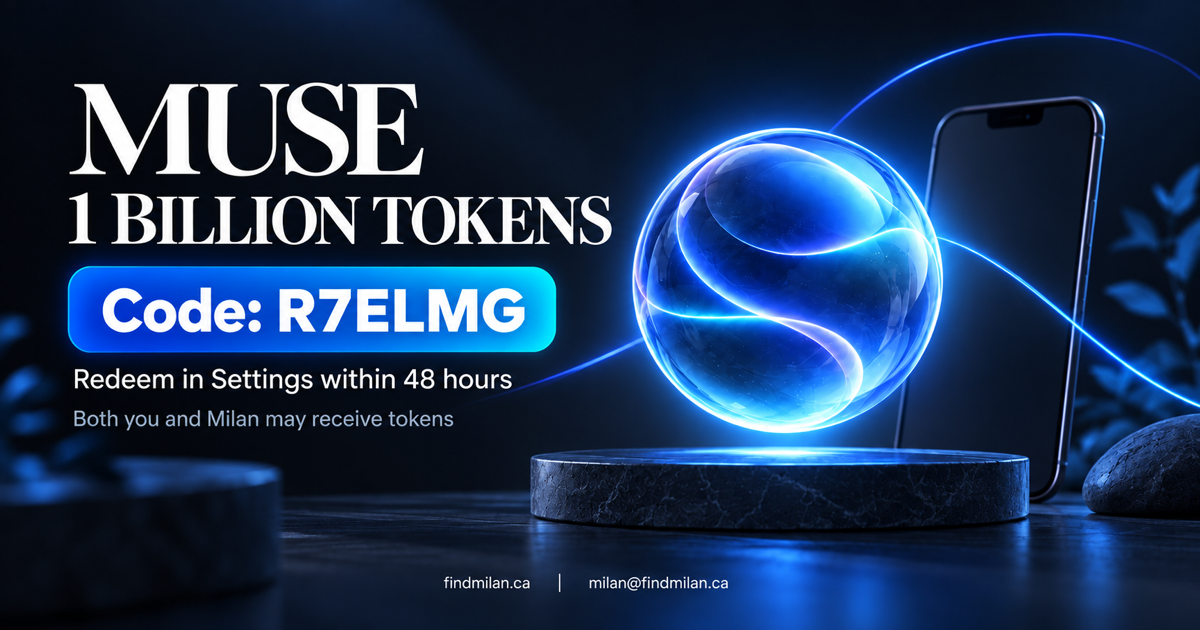
This referral is separate from Meta’s small-business announcement. The invite details previously shared with Milan advertise 1 billion Muse tokens for each of you if a new member joins and enters the code in Settings within 48 hours. The offer may benefit Milan if Muse credits the referral; eligibility and current terms should be confirmed in the app.
Referral code: R7ELMG
Join Muse: muse.ai/join
The code and reward are based on the invite details, not a Meta business-plan benefit or an independently verified public promotion. Check the in-app confirmation before relying on a token balance.
For help deciding which business workflows are appropriate for AI or how to put human approval around them, see FindMilan’s AI consulting and custom development and workflow automation. Our Sociaxo social-publishing project is a separate example of preparing content for review before it is scheduled or published.
Sources and disclosure
- Meta: The Future Is for Everyone: Muse for Small Business (September 29, updated October 8, 2026)
- Meta: Introducing Muse: The World’s First Personal AI Agent Built for Everyone (September 8, 2026)
- Meta: Muse security and safety
- Meta: Muse subscriptions
- Muse join page — the referral code and reward terms above come from Milan’s invite details, not Meta’s announcement.
This article is not sponsored by or affiliated with Meta. The referral offer may benefit Milan if the code is used successfully. Confirm current eligibility and terms in Muse.
Frequently asked questions
What does Muse for Small Business do?
Meta says the expansion adds business skills and connectors to tools including Canva, QuickBooks, Shopify, Slack, Stripe, Facebook business accounts, and Instagram professional accounts. Check your account for the integrations and permissions available to you.
Is Meta Muse available in Canada?
Meta’s September 29 release says Muse is available in the United States and Canada. The release does not provide a separate schedule for every business connector, so verify the feature in your own account.
Does Muse take business actions without asking?
Meta says nothing publishes, sends, or spends without approval. Review the connected account, permission scope, source information, and proposed action before approving anything consequential.
What is the referral code, and does Meta provide the reward?
The code is R7ELMG. Milan’s invite describes a mutual one-billion-token referral offer with redemption within 48 hours; it is separate from Meta’s business announcement and may reward Milan too. Confirm eligibility and credit in the app.
Frequently asked questions
What is Meta Muse for Small Business?
It is Meta’s small-business expansion of Muse, adding business-oriented skills and connectors to services such as Canva, QuickBooks, Shopify, Slack, Stripe, Facebook Pages, and Instagram professional accounts. Connector availability can depend on the account and rollout.
Can a Canadian small business use Muse?
Meta’s September 29, 2026 announcement says the Muse personal agent is available in the United States and Canada. It does not give a separate Canada-specific rollout schedule for every small-business connector, so check the options shown in your own account.
Can Muse publish posts, send messages, or spend money without approval?
Meta says nothing publishes, sends, or spends without the user’s approval. Treat that as one control, not a substitute for reviewing the connected account, requested permissions, source data, and exact action before approving.
How much does Muse cost in Canada?
Meta says Muse is free for most needs and offers subscription plans for people who want to do more. The small-business announcement does not state a Canadian price or quota; confirm current currency, taxes, limits, and renewal terms in your account.
How do I use Milan’s Muse referral code?
The offer shared with Milan’s Muse invite says to enter R7ELMG in Settings within 48 hours of joining and advertises 1 billion tokens for each of you. It is separate from Meta’s business announcement; confirm eligibility and current terms in Muse, and note that Milan may benefit if the referral is credited.