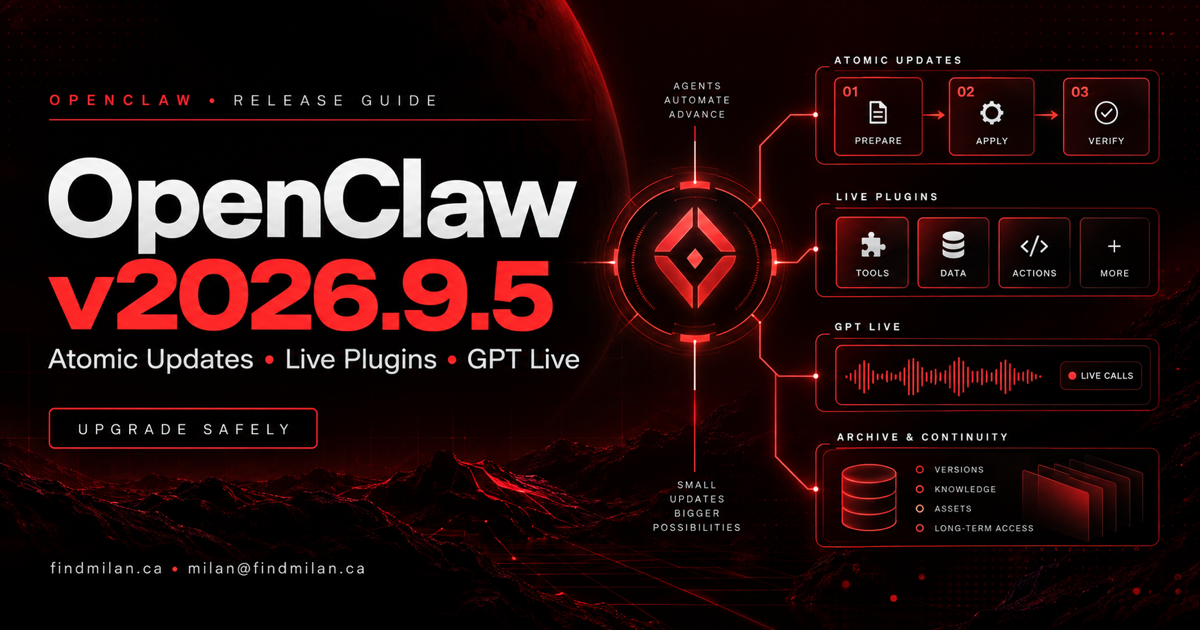
OpenClaw v2026.9.5 is a major operational release that makes updates, plugins, agent teams, voice calls, browser work, sharing, and conversation storage more capable—but it also introduces a database change that makes pre-upgrade backups essential. The most important operator warning is schema 21: older OpenClaw builds cannot open the upgraded agent databases.
The release shipped on September 18, 2026. OpenClaw’s official notes describe Atomic Updates, supported plugin installation without a Gateway restart, guided setup for specialist teams, GPT Live in supported meetings and calls, read-only Session Share, conversation archives, browser improvements, security dependency updates, and a large reliability pass.
Source note: This article is based on the official OpenClaw v2026.9.5 release notes and official GitHub release, checked on September 19, 2026. The release notes are extensive and include environment-specific limitations. Review the canonical notes for your installation method before upgrading.
OpenClaw v2026.9.5 at a glance
| Change | Practical effect | Operator caution |
|---|---|---|
| Atomic Updates | Validates a candidate version while the current Gateway keeps running on supported paths | The validation copy is not a backup, and application rollback cannot reverse database migrations |
| Live plugin management | Installs or reloads supported plugins without taking the Gateway offline | Permissions still apply; some native or bundled changes still require restart or reload |
| Specialist-agent onboarding | Offers a chief of staff, researcher, writer, reviewer, or a four-agent team | Review the proposal and repair partial creation before retrying |
| GPT Live | Extends live audio into supported Talk, meeting, Discord, and phone workflows | Audio-only in the documented path; configuration, billing, and feature limitations apply |
| Session Share | Shares selected conversations read-only with a paired OpenClaw installation | Shared text and metadata may be sensitive, and revocation cannot recall received information |
| Conversation archiving | Compresses inactive history while keeping it restorable and searchable | Cold storage is off by default; archive files must stay with supported backups |
| Schema 21 | Reduces repeated session-database work and supports new storage behavior | Older builds cannot open the database; downgrade requires a matching backup and older build |
Atomic Updates reduce upgrade disruption, not upgrade risk
Atomic Updates test a proposed version against a private copy of the installation while the current Gateway keeps operating. On a supported update path, OpenClaw can then switch to the candidate and verify the updated installation. If validation or switching fails, recovery may restore the previous application version when the data and configuration remain compatible.
That is meaningfully safer than replacing a live installation without a candidate check. It is not a substitute for backup and recovery planning.
The official notes explicitly warn that the private validation copy is not a rollback backup. If an upgrade changes the database in a way an older build cannot understand, restoring application files does not restore the previous data format. Operators should make and verify a backup before the upgrade, including data still committed in the SQLite journal or WAL.
Schema 21 is the critical upgrade warning
OpenClaw v2026.9.5 upgrades agent databases to schema 21. Older builds cannot open those databases. Reinstalling a previous package is therefore not a valid downgrade plan.
A supported downgrade requires both:
- the matching older OpenClaw build; and
- a verified backup taken before schema 21 was applied.
Restoring that backup also removes work saved after the backup. The notes additionally state that users updating directly from version 2026.9.2 must follow the release’s manual schema-upgrade instructions.
Before upgrading an important Gateway, record the current version and installation owner, stop or finish consequential work, back up the complete state, verify the backup, and document the exact restore procedure. Do not change schema markers or delete tables to force an older build to open newer data.
Install supported plugins without restarting the Gateway
Version 2026.9.5 can install or reload supported plugins while the Gateway remains available. Owners can use the command line or an authorized chat command, and managed Codex conversations can refresh their available tools within bounded context.
This can reduce downtime when adding an integration or applying a compatible plugin update. It does not remove the plugin trust boundary. Existing permission checks and consent remain in effect, and administrators should still inspect:
- the package source and publisher;
- requested filesystem, network, messaging, and execution access;
- credentials, secret references, and environment fallbacks;
- tools and instructions added to agent context;
- activation, rollback, and uninstall behavior;
- active work that may be interrupted during a reload.
Some bundled-code and native plugin UI changes retain separate restart requirements. If an installation saves but activation fails, follow the reported repair instructions and use openclaw plugins reload. Recovery after a replacement timeout may still require another reload or a Gateway restart.
Guided setup for specialist-agent teams
The onboarding flow can propose one specialist or a small team built around four roles: chief of staff, researcher, writer, and reviewer. The Control UI keeps creation behind an approval step, and setup remembers the selected coordinator when an interrupted process resumes.
This makes multi-agent architecture more accessible, but the role names do not define safe operating boundaries by themselves. Each agent still needs an explicit purpose, limited tools, controlled credentials, an ownership boundary, and a rule for when work must return to a human.
If team creation stops partway through, the release notes recommend checking openclaw agents list and repairing the incomplete team before retrying. Creating the same roster repeatedly can produce confusing duplicate or partially configured agents.
GPT Live reaches supported meetings and phone calls
OpenClaw now extends GPT Live to supported Talk, Meet, Teams, Zoom, Discord, and phone-call workflows. An agent can participate in live audio and consult the configured OpenClaw agent during a meeting or call.
The documented implementation has important boundaries:
- Live must be selected explicitly on supported surfaces;
- it is audio-only in this path, while camera needs a different supported realtime model;
- configured OpenAI Platform credentials take precedence over ChatGPT subscription access and use Platform billing;
- the Gateway and paired node may both need updating;
- compatible isolated audio capture is required for meetings;
- Voice Call custom functions, wake-name control, and forced-consult modes are not supported in the documented Live path.
Teams should test latency, interruption handling, microphone routing, captions, billing, fallback behavior, consent, recording policy, and what the agent is allowed to do after hearing a request. A voice response is not proof that delegated work completed successfully.
Share selected conversations without sharing control
Session Share gives teammates on another paired OpenClaw installation read-only access to selected conversation groups. Recipients can read conversation text and eligible user-created forks, but they do not receive subagent activity, tool activity, reasoning, terminal control, archiving authority, or the ability to continue the conversation.
Both sides must enable sharing, and an empty group selection shares nothing. This is a safer collaboration model than handing over a live session, but it still exposes the selected text and metadata.
Choose shared groups carefully. Revoking access cannot recall information that a recipient already received. Restore cold history on the source before expecting it to appear remotely, and keep the source node connected as required by the feature.
Conversation archives add storage control
Conversation archiving compresses older inactive history while keeping it available to reopen. Settings can show storage use per agent and provide a manual archive action. Optional cold storage is off by default; operators can enable it for eligible inactive history and adjust the interval without restarting.
Opening an archived conversation restores its history and makes it searchable again. Archive files are part of the data lifecycle, so they must remain with the database and supported backups. Deleting or copying only part of that state can produce an incomplete recovery.
The database changes apply even when archiving is disabled. That is why every installation—not only installations that turn on cold storage—needs to treat the schema 21 upgrade as a backup boundary.
Browser and security changes worth noting
Browser pages and favicons can appear in the Chat panel header, supported accessibility snapshots expose element references, and browser-control policy can change without restarting the Gateway. These changes make browser work easier to inspect and steer.
The release also tightens several trust boundaries, including browser-download destination policy, sandbox media access, subagent attachment separation, webhook read limits, and guarded file operations. Security-sensitive dependency updates cover Nodemailer, markdown-it, proxy-addr, and Rustls.
Operators should not treat a successful update as proof that every integration is safe. Re-run the security audit, inspect plugins, verify sandbox mounts and attachment behavior, and confirm that channel and browser permissions still match the intended policy.
A practical OpenClaw v2026.9.5 upgrade checklist
Before the upgrade:
- confirm the current version, installation method, service owner, and Gateway target;
- read the complete official notes for every version being crossed;
- finish or pause scheduled, delegated, and long-running work;
- make and verify a complete pre-upgrade backup, including SQLite WAL state;
- record plugins, channels, model providers, paired nodes, browser profiles, and scheduled jobs;
- prepare the matching older build and restore procedure;
- follow the manual schema instructions if updating from v2026.9.2.
After the upgrade, verify the exact target installation:
openclaw --version
openclaw doctor
openclaw gateway status
openclaw agents list
openclaw plugins list
openclaw security audit
Review Doctor’s proposed changes before accepting repairs. Then test one harmless end-to-end workflow for each required channel, model provider, plugin, scheduled job, browser path, and paired node. If you enable archiving, Session Share, specialist teams, or GPT Live, test each feature separately with non-sensitive data first.
Who should prioritize this release
Version 2026.9.5 is particularly relevant to teams operating plugin-heavy Gateways, multi-agent setups, large conversation stores, browser automation, live voice workflows, or shared installations. The security and reliability changes also make it important for production deployments, but the schema change means the upgrade should be scheduled rather than applied casually.
The Hermes and OpenClaw agent setup project shows why the surrounding operating model matters: scoped credentials, isolated environments, monitoring, backups, and explicit acceptance checks are what make agent infrastructure dependable.
How I can help
I provide OpenClaw setup and support for secure installation, Gateway architecture, channels, model providers, plugins, backups, monitoring, multi-agent design, and upgrade verification.
For broader systems, I also offer AI consulting, workflow automation, SaaS product engineering, and website development.
Book a free strategy call if you need a controlled OpenClaw v2026.9.5 upgrade or a separate production-ready agent environment.
Official sources
Frequently asked questions
What is new in OpenClaw v2026.9.5?
OpenClaw v2026.9.5 adds Atomic Updates on supported update paths, live installation and reloading for supported plugins, guided specialist-agent teams, GPT Live in supported meetings and phone calls, read-only Session Share, conversation archiving, improved browser work, security updates, and broad reliability fixes.
Is OpenClaw v2026.9.5 safe to downgrade after upgrading?
Not by reinstalling an older package alone. Version 2026.9.5 upgrades agent databases to schema 21, which older builds cannot open. A downgrade requires restoring a verified pre-upgrade backup together with the matching older build, and work saved after that backup will be lost.
Do Atomic Updates replace OpenClaw backups?
No. Atomic Updates validate a candidate version in a private copy before switching on supported paths, but that copy is not a rollback backup. Application rollback cannot undo incompatible database migrations, so operators still need a verified backup before upgrading.
Can OpenClaw install plugins without restarting the Gateway?
OpenClaw v2026.9.5 can install or reload supported plugins while the Gateway keeps running. Existing permission and consent controls still apply, some bundled or native UI changes retain separate restart requirements, and failed activation can still require plugin repair or a Gateway restart.
What does GPT Live support in OpenClaw v2026.9.5?
GPT Live can be selected for supported Talk, Meet, Teams, Zoom, Discord, and phone-call workflows. It is audio-only in the documented meeting and call path, requires compatible OpenAI access and configuration, and has limitations around camera use, custom functions, wake-name control, and forced-consult modes.