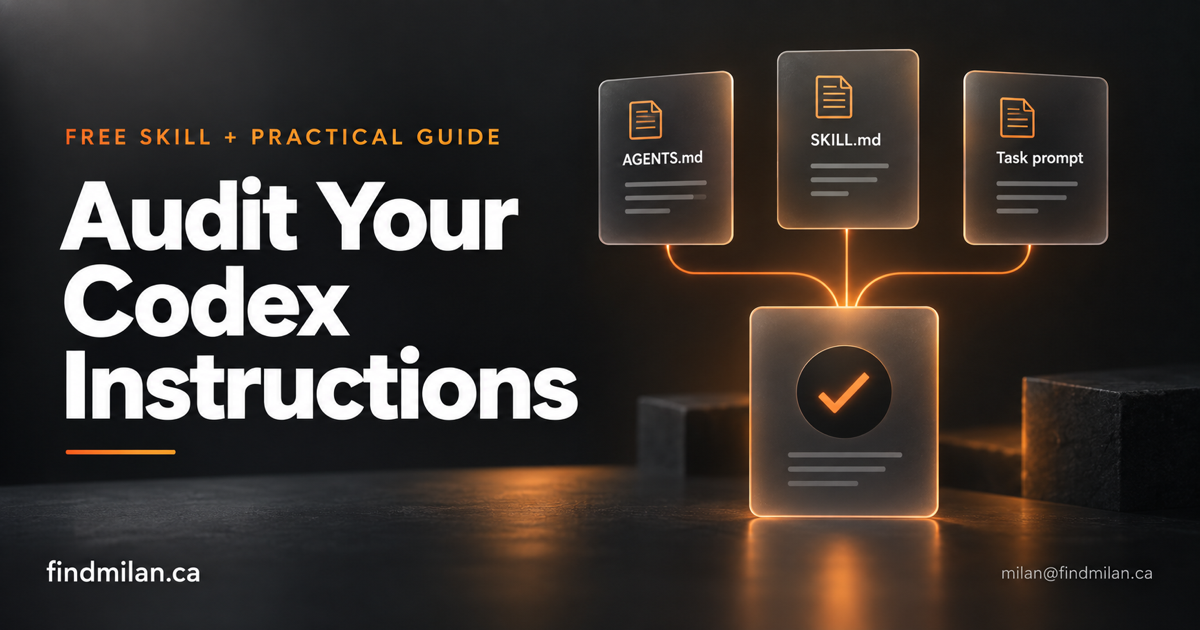
When Codex keeps asking to continue, loads an unrelated skill, or repeats checks without a clear reason, inspect the instructions behind the behaviour. Another paragraph telling it to work harder may leave the original conflict intact.
I turned that idea into a small, reusable instruction-audit skill. It reviews the instructions for a chosen project, identifies problems with evidence, and proposes specific edits. You can download the skill below or use the standalone prompt without installing anything.
This is an independent FindMilan resource. It grew out of reviewing AI Systems Lab’s practical guide and checking its references against OpenAI’s documentation. The skill and examples here are our own adaptation, not an official OpenAI release or a reproduction of that guide.
What OpenAI’s guidance changes
Instructions accumulate one fix at a time. A team adds a check after a regression, a reading requirement after a misunderstanding, and an approval step after an unwanted deployment. Each rule may have a useful purpose, but their combined effect can become unclear: two files request the same check, or a general stop rule interrupts a task that already authorizes local verification.
The goal is to identify that interaction and preserve the requirement behind it. A required security check or intentional publishing approval is still a requirement.
OpenAI’s article on rethinking skills and prompts for GPT-6 Astra recommends revisiting accumulated instructions as models improve. It highlights overly broad skill descriptions, unnecessary up-front reading, and constraints that can cause work to stop early.
The model guidance also discusses completing authorized preparation before seeking approval, explaining conflicting skill instructions, specifying writing preferences, and matching verification to the change.
My practical interpretation: make each rule earn its place. Keep the ones that protect a real project requirement, and revise the ones that create a measurable conflict or unnecessary work. A model upgrade alone is not evidence that a particular safeguard has become obsolete.
Download the instruction-audit skill
Download the instruction-audit skill ZIP — version 1
Prefer to inspect the text first? Download the standalone SKILL.md.
The ZIP contains an instruction-audit folder with one Markdown file. There are no executable scripts, credentials, private project paths, or bundled dependencies. You can read the complete instructions before installing them.
The workflow asks the agent to report:
- which instruction files it inspected and which areas remain unreviewed;
- the exact file and line behind each finding;
- the practical effect of a conflicting or overly broad rule;
- a proposed replacement or deletion;
- whether a finding is a confirmed conflict or an optional simplification.
It does not provide a performance guarantee. A useful audit depends on the files available to the agent and the quality of its reasoning. Treat its findings as reviewable proposals.
Install it for one project or your own account
OpenAI’s skill documentation describes a skill as a folder containing SKILL.md, with a name and description in its frontmatter. It documents both project and user skill locations.
For one project, extract the folder into:
<your-project>/.agents/skills/instruction-audit/SKILL.mdFor your own projects on macOS or Linux, put it in:
~/.agents/skills/instruction-audit/SKILL.mdChoose one location initially to avoid duplicate entries. Preserve any existing skill with the same name: compare it before replacing anything. If Codex does not discover the skill, restart it and check the skill selector. These paths follow the current public documentation; managed environments may have additional configuration.
This download is a plain skill folder for manual local installation. OpenAI recommends plugin packaging for broader reusable distribution; this ZIP is not a plugin or a marketplace installation.
Then open the project you want to inspect and send:
Use $instruction-audit to audit this project's instructions.

Start with applicable AGENTS.md files and available skill descriptions.
Read supporting skill documents where needed to investigate a finding.

Report the files you inspected, confirmed conflicts, optional
simplifications, and exact proposed replacements. Preserve intentional
approval boundaries and required checks. Do not edit files yet.
The skill can also be selected automatically when a task matches its description. Explicitly mentioning it makes your intended workflow clear.
The full audit prompt, without installing a skill
Use this FindMilan prompt when you want a one-time review:
Audit the instructions governing this project. This is a read-only review;
report findings and proposed changes without editing files.

Inventory applicable AGENTS.md files and available skill descriptions.
Read relevant SKILL.md files and supporting documents when needed to
understand a rule or investigate a suspected conflict. Exclude generated
files, dependencies, credentials, and unrelated projects.

Consult these official references when available:
https://developers.openai.com/blog/rethinking-skills-and-prompts-for-gpt-6-astra
https://developers.openai.com/api/docs/guides/latest-model?model=gpt-6-astra

Check for:
- Conflicting instructions. Quote both sides and explain which applies.
- Repeated instructions that add no project-specific value.
- Skill descriptions that trigger on unrelated tasks or overlap heavily.
- Mandatory reading or fixed steps without a clear task-related purpose.
- Premature stopping points within already authorized work.
- Repeated tests or checks without new changes, failures, or concerns.
- Missing task acceptance criteria that leave completion ambiguous.

Preserve intentional permission boundaries, required tests, account
separation, production safeguards, and explicit user constraints.
Do not label a rule defective merely because it says always or never.
Reversibility alone does not authorize an action.

For each finding, give the file and line, relevant instruction, practical
impact, and exact proposed replacement or deletion. Distinguish confirmed
conflicts from optional improvements. Do not claim that project files can
override host policy or sandbox permissions.

Finish with the files inspected, coverage gaps, and the smallest useful
set of changes. If nothing needs changing, say so. If the official sources
are unavailable, disclose that and separate verified facts from judgment.
You can narrow this further: “Review only this repository’s instructions” or “Include my shared skills, but report their effects separately.” A clear boundary makes the report easier to review and keeps unrelated projects out of the task.
What a useful finding looks like
Here is an illustrative example, not a result from a published benchmark.
Suppose a project says:
Stop after the first implementation and ask whether to run checks.Your current task says:
Implement the contact form, run the relevant local checks, and show me
how validation errors appear. Ask before deployment.
A useful report explains the conflict: the standing rule creates a stop inside work the task already authorizes. It can propose a project-specific replacement:
For implementation tasks, complete the requested local verification and
prepare a reviewable result. Follow the task's deployment boundary.
The reviewer should still ask whether that standing rule serves another workflow. Perhaps the repository includes expensive integration checks that need separate coordination. In that case, separate local verification from those checks rather than deleting the boundary entirely.
A weak audit simply says “remove approval gates.” That does not explain the original purpose, affected workflow, or consequences of the change.
Put each instruction where it belongs
For this workflow, I use three places:
AGENTS.md holds project conventions. Examples include the correct development command, important directory boundaries, and requirements that apply across tasks in that repository.
The audit skill holds the reusable review process. It should be used when reviewing instructions, rather than forcing an instruction audit before every application change.
The task prompt defines today’s result. Specify the feature or fix, what you want to see, and the release boundary. For example:
Improve the mobile contact form. Implement the changes, verify keyboard
navigation and error messages locally, and show the result at a narrow
viewport. Ask before publishing.
Before adding a standing rule, check whether your host already supplies equivalent guidance. Duplicating it in several files gives you more places to maintain and more chances for the wording to drift.
Review the changes with real tasks
After approving a small set of edits, try three representative tasks in your own project: a text change, a behaviour change with meaningful verification, and a release preparation task with an explicit publishing boundary.
Look for observable outcomes. Did the agent finish the authorized work? Did it preserve the release boundary? Were the checks relevant? Did it explain a blocker with a file reference rather than an unexplained request to continue?
Keep a before-and-after note with the actual tasks and results. This first release has not been benchmarked across projects or models, so I would not claim a percentage improvement in speed, cost, or reliability. File validation also does not prove that every future audit will make the right judgment.
Apply it to your team’s workflow
Start with the project where instruction friction is easiest to reproduce. Run the audit, review the evidence, approve a small change, and observe the next real task. Expand the review only when that gives you a reason to do so.
If you need help connecting model instructions with tools, review steps, and application delivery, explore my AI consulting and custom development. The Hermes and OpenClaw agent setup project provides related context on building an agent environment around operational boundaries.
Sources and attribution
Official guidance checked on September 28, 2026:
- OpenAI: Rethinking skills and prompts for GPT-6 Astra
- OpenAI: Model guidance and prompting practices
- OpenAI: Build skills and local discovery locations
The AI Systems Lab guide prompted this exploration. FindMilan wrote the downloadable skill and task prompts shared here. Product documentation can change; check the linked official sources when installing or updating your setup.
Frequently asked questions
Is this an official OpenAI skill?
No. This is an independent FindMilan instruction-audit skill informed by OpenAI's public guidance. It is not endorsed by OpenAI or AI Systems Lab.
Will the audit change my files automatically?
The supplied audit prompt requests a report and proposed replacements only. The skill distinguishes an audit from a request to implement changes. Review the findings before authorizing edits.
Can I use the skill without GPT-6 Astra?
The file is a Markdown workflow for a compatible skill-enabled agent. Its reference guidance focuses on Astra, and behaviour on other models has not been benchmarked. Verify skill discovery and review the output in your own environment.
Should I remove all approval rules and full test requirements?
No. Keep intentional approval boundaries and required checks. Change a rule only when the audit explains a real conflict, unnecessary repetition, or a mismatch with the task.
What if Codex cannot see the installed skill?
Check that the file is named SKILL.md inside the instruction-audit folder in a supported skills location. Restart Codex if discovery has not refreshed. You can also use the standalone audit prompt in this article.