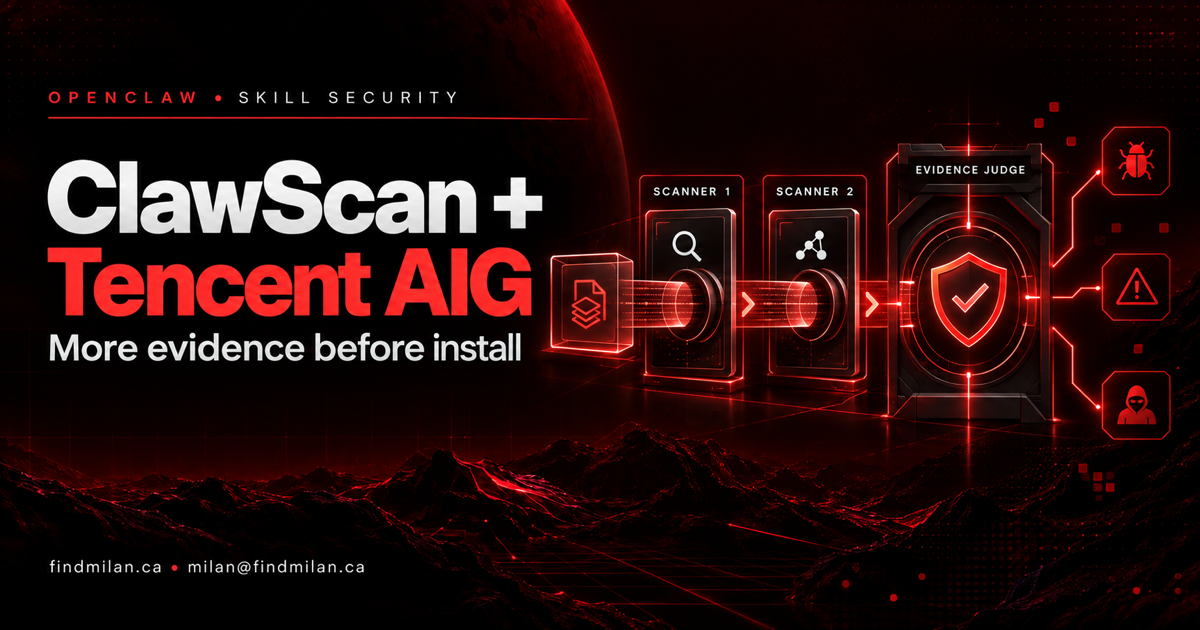
OpenClaw says every skill and plugin uploaded to ClawHub now receives another security signal: Tencent AI-Infra-Guard (AIG) joins NVIDIA SkillSpector inside the ClawScan review process. The two scanners work independently, and an AI judge considers their evidence with the uploaded files. This is a meaningful defense-in-depth change, not a promise that malicious skills can no longer slip through.
OpenClaw reported that the combined system matched 86.9% of labels and correctly classified 98.6% of malicious examples in a fixed 556-case subset of SkillTrustBench. Those figures are tied to that benchmark sample; they are not a universal detection or safety guarantee.
What changed in ClawHub’s review pipeline
ClawScan is an open-source harness for running multiple security scanners against agent skills. OpenClaw says the hosted ClawHub review now runs Tencent AIG and NVIDIA SkillSpector separately, then passes the scanner findings and files to an AI judge for a final assessment.
The scanners can surface different concerns. OpenClaw describes AIG as examining nine risk categories, including instruction hijacking, memory poisoning, remote payload execution, unauthorized access, persistence, and insecure dependencies. Its value is the additional evidence and independent perspective—not an assumption that one scanner sees everything.
What the reported benchmark does—and does not—say
OpenClaw says the combined review was tested on 556 cases from SkillTrustBench, which includes benign, suspicious, and malicious skills across nine risk categories. In that subset, ClawScan matched 86.9% of benchmark labels and correctly classified 98.6% of the malicious cases.
These are provider-reported results on a fixed public benchmark sample. “Correctly classified malicious cases” is not the same as total accuracy, and the figures do not establish how the system performs on every new, obfuscated, or previously unseen attack. The reported label agreement also leaves room for disagreement and false positives. Treat the evaluation as evidence that the layered approach was tested—not as certification that an item is safe.
Why multiple scanners can help
Skills can combine natural-language instructions with scripts, dependencies, and data access. A scanner that reads only one layer may miss how the parts interact. Running different scanners independently can expose more kinds of suspicious behavior, while an evidence-based judge can compare findings against the actual files.
For operators, the useful question is whether the pipeline fits the trust boundary you need: which files are inspected, which scanners ran successfully, how disagreements are resolved, and whether an installation can proceed when a check fails or times out. Preserve the raw evidence and keep a human review path for sensitive environments.
ClawHub review versus local installation controls
ClawHub’s hosted upload review and an operator’s local installation policy are separate controls. ClawScan also documents an openclaw-install-policy command that can inspect staged skill or plugin files before OpenClaw commits a supported installation—but that protection requires the operator to install and configure the policy boundary.
The ClawScan repository says command-backed scanners and judge processes run in its Docker runtime by default. Confirm Docker, scanner dependencies, sandbox behavior, and the policy’s failure mode in your own setup. Do not assume that using OpenClaw or browsing ClawHub automatically enables the local install hook.
Even with layered scanning, review a skill’s requested permissions, scripts, network access, and data handling before enabling it. Keep credentials out of untrusted execution contexts, prefer narrow permissions, and update scanners as their rules evolve.
How I can help
I help teams evaluate agent platforms, design safer tool and installation boundaries, and connect AI workflows to web products through AI consulting and custom development. For a broader software implementation, see website development.
Official sources
Frequently asked questions
What changed in OpenClaw's ClawHub security review?
OpenClaw says Tencent's AI-Infra-Guard scanner has joined NVIDIA SkillSpector in ClawScan, which reviews skills and plugins uploaded to ClawHub. The scanners run independently, and an AI judge assesses their findings together with the uploaded files.
Does the ClawScan benchmark prove every uploaded skill is safe?
No. OpenClaw reports results on a fixed 556-case subset of SkillTrustBench: 86.9% matched benchmark labels and 98.6% of malicious cases were correctly classified. Those results describe that evaluation set, not a guarantee for every skill, future attack, or user configuration.
Can I use ClawScan locally?
Yes. ClawScan is an open-source scanning harness with a ClawHub profile and individual scanner options. Its repository says command-backed scanners and judges run in a Docker runtime by default; review its current setup, dependencies, and sandbox instructions before scanning untrusted files.
Does installing ClawScan automatically protect every OpenClaw installation?
No. ClawHub uploads are reviewed through the hosted service, while local installation policy is an operator-configured boundary. The ClawScan documentation describes a staged-install policy command, but operators must deliberately install and configure it.